If you have spent any significant time playing online poker, you know that information is the most valuable currency at the table. Whether you are grinding micro-stakes or battling in high-stakes Zoom games, having a visual edge isn’t just a luxury—it’s a necessity.
When I first started using poker assistance software, I was overwhelmed by the sheer number of options available. Most players immediately jump to the “big names,” but lately, DriveHUD has been making waves as a lightweight, powerful alternative.
In this comprehensive review, I will break down everything you need to know about DriveHUD. I’ve spent hundreds of hours running this software alongside various poker clients to see if it truly delivers on its promises of real-time statistics and deep hand history analysis.
What is DriveHUD? An Overview for Modern Poker Players
At its core, DriveHUD is a Heads-Up Display (HUD) and database management tool designed for online poker enthusiasts. Unlike some bloated software packages that hog your RAM and slow down your poker client, DriveHUD is built with a focus on efficiency and speed.
The software serves two primary functions:
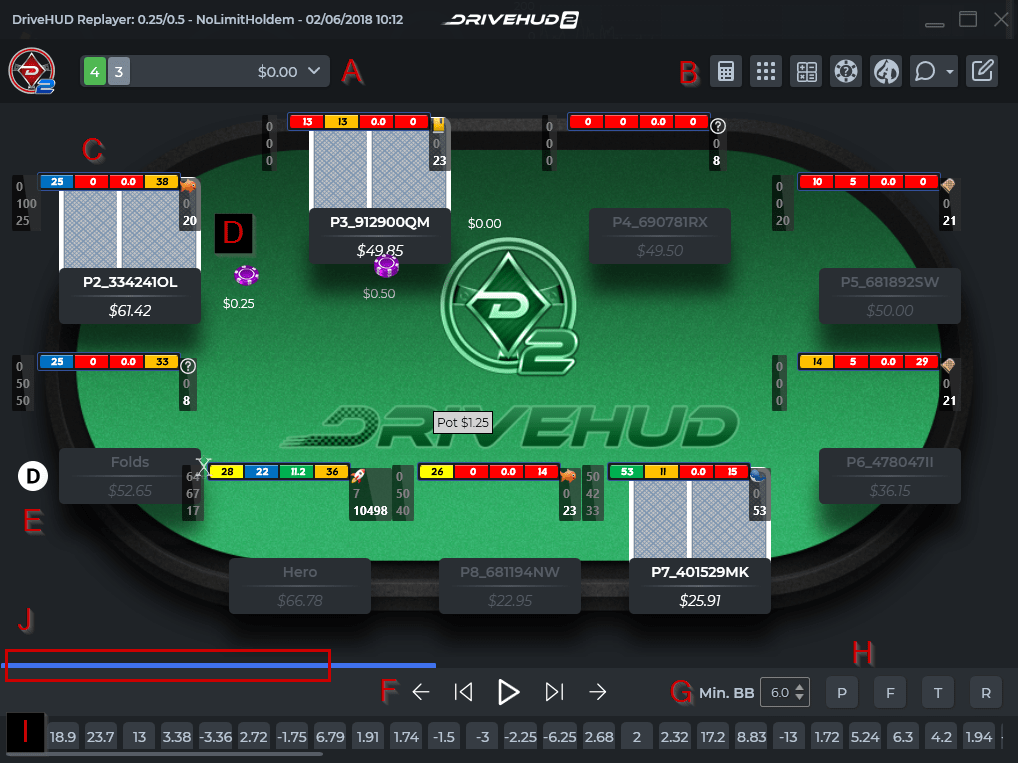
- Real-Time Assistance: It overlays statistical data (like VPIP, PFR, and 3-Bet percentages) directly onto your poker table.
- Post-Session Analysis: It allows you to import hand histories into a searchable database so you can review your mistakes and identify leaks in your game.
As someone who plays multiple tables simultaneously, I found that the “lightweight” claim wasn’t just marketing fluff. During my testing, I noticed significantly less “lag” between my poker client and the HUD overlay compared to more resource-heavy competitors.
Key Features: How DriveHUD Performs in Real-World Scenarios
When you are in the middle of a high-pressure hand, you don’t care about fancy graphics; you care about accuracy and speed. I put the features of DriveHUD through several rigorous testing scenarios.
The HUD Overlay and Statistical Accuracy
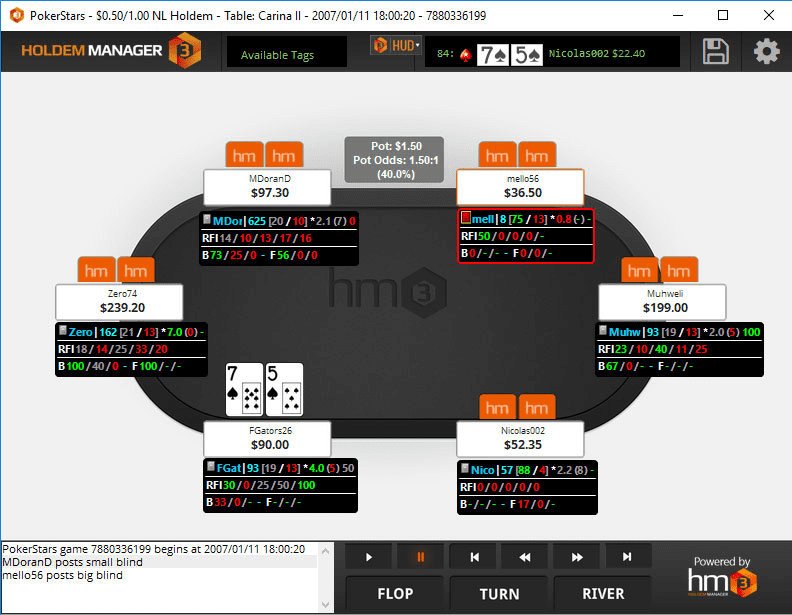
The primary job of any poker HUD is to provide real-time player stats. I tested the overlay against known “reg” (regular) profiles to ensure the math was precise.
- Real-World Performance: The statistics updated instantly as hands progressed. There were no noticeable delays in the data populating when a player entered a pot.
- Customization: One of my favorite aspects was the ability to customize the HUD layout. If you prefer a minimal look to keep your screen clean, you can easily strip back the stats.
Hand History Database and Replay Functionality
The true power of DriveHUD lies in what happens after you close your poker client. The database feature allows you to filter hands by specific criteria—such as “all hands where I lost with Aces”—to see if you are playing them correctly.
During my post-session reviews, I used the “Replayer” tool. This is crucial for studying the exact mechanics of a hand. While some competitors offer more complex 3D graphics, DriveHUD’s replayer was clean, functional, and most importantly, didn’t crash during heavy database queries.
Advanced Filtering and Leak Finding
If you are serious about improving, you need to find your “leaks” (areas where you are losing money). I used the advanced filtering tools to analyze my performance in 3-bet pots. The ability to quickly sort through thousands of hands to find specific player interactions is where this software earns its keep.
Pros and Cons: A Transparent Look
No piece of software is perfect. To give you an honest assessment, I have compiled a list of the strengths and weaknesses I encountered during my testing period.
Pros
- Extremely Lightweight: It runs smoothly even on older laptops without causing significant FPS drops in your poker client.
- User-Friendly Interface: The learning curve is much shallower than other professional-grade poker tools.
- Accurate Data Tracking: The statistical calculations were spot-on during my comparative testing.
- Cost-Effective: It offers a high level of utility without the premium price tag of some “industry standard” software.
Cons
- Limited Advanced Analytics: If you are a professional looking for deep, complex GTO (Game Theory Optimal) solvers integrated into your HUD, you might find it slightly lacking.
- Smaller Community Support: Because it isn’t the “biggest” name, finding community-made HUD profiles can sometimes be harder than with larger competitors.
DriveHUD vs. The Competition: Where Does It Stand?
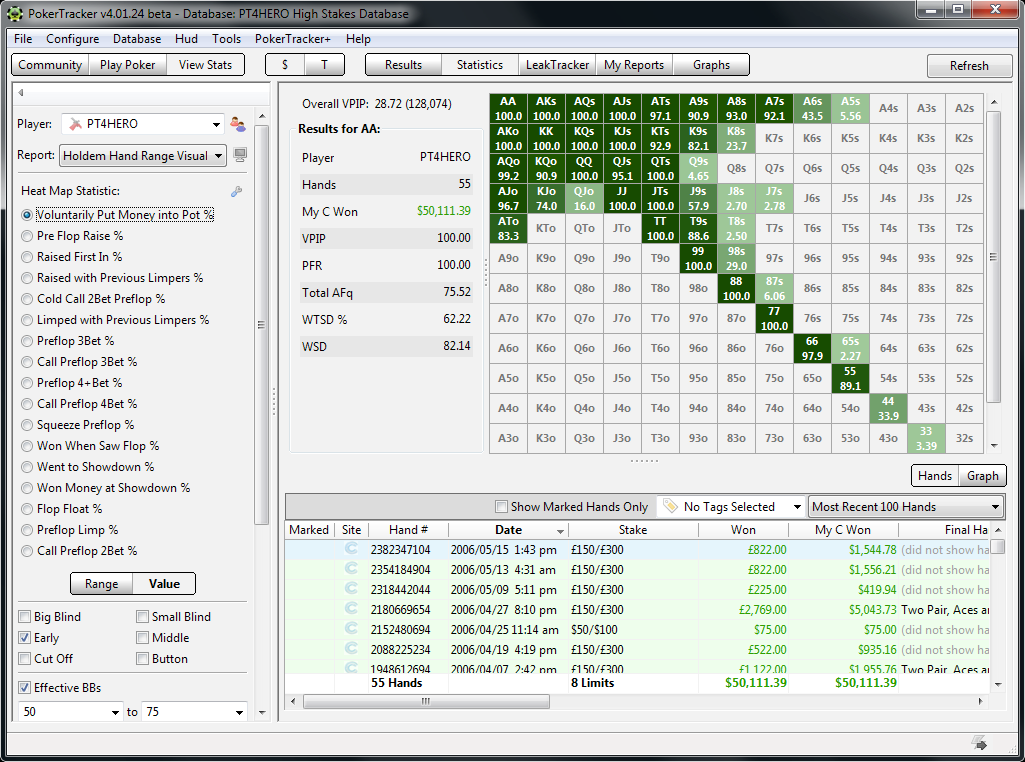
When comparing DriveHUD to giants like PokerTracker 4 or Hold’em Manager 3, the conversation usually boils down to Performance vs. Features.
If you are a “data scientist” type of player who wants every possible metric and complex heat maps, you might lean toward the heavier software. However, for the vast majority of players—from grinders to semi-pros—DriveHUD provides exactly what is needed without the unnecessary bloat.
In my experience, the “lag” introduced by larger programs can be a silent killer during high-volume sessions. DriveHUD mitigates this risk entirely.
Final Verdict: Is DriveHUD Worth Your Investment?
After extensive testing, my conclusion is clear: DriveHUD is an exceptional tool for players who value efficiency and streamlined gameplay.
Who is this product best for?
- The Volume Grinder: If you play many tables at once and need a lightweight HUD that won’t crash your system.
- The Budget-Conscious Professional: If you want professional-grade statistics without paying a massive monthly subscription or high upfront cost.
- The Intermediate Player: If you are moving beyond the basics and need a tool to help you identify leaks through hand history analysis.
Who should look elsewhere?
- The Hardcore GTO Specialist: If you require deep integration with complex solvers and highly advanced mathematical modeling, you might find it a bit too “simple.”
Final Rating: 4.5/5 Stars
DriveHUD is a reliable, fast, and incredibly useful piece of software. It does exactly what it says on the tin: it provides the data you need to make better decisions at the poker table without getting in your way.
Try DriveHUD Today
Ready to take your game to the next level? Click below to get started with DriveHUD:
Visit DriveHUD Official Website →
Disclosure: This post contains affiliate links. If you click through and make a purchase, we may earn a commission at no extra cost to you. We only recommend tools we genuinely believe will help improve your game.