The solver to buy if Omaha or multiway pots are your game — and the wrong purchase for heads-up No-Limit Hold’em on a budget.
This review is based on official product information and published third-party sources, verified as of 18 October 2026. No hands-on testing was performed for this report.
Review summary
MonkerSolver is the solver for the games the other solvers ignore: multiway pots and Pot-Limit Omaha. Where most GTO solvers specialise in heads-up No-Limit Hold’em, MonkerSolver solves Omaha and Hold’em, from any street, with any number of players. That makes it the reference tool for Omaha specialists and for studying the complex spots that dominate big tournaments.
The trade-offs are real: €499 for the full version, a demanding interface, and hardware that has to keep up (8GB of RAM is the official minimum; large trees want far more). A free edition exists, limited to turn and river solving.
This review is research-based, verified against the official site on 18 October 2026.
Verdict: the solver to buy if Omaha or multiway pots are your game — and the wrong purchase for heads-up No-Limit Hold’em players on a budget.
Quick facts
| Feature | Details |
|---|---|
| Software name | MonkerSolver |
| Developer | monkerware |
| Product category | GTO Poker Solver |
| Official website | monkerware.com |
| Windows compatibility | Yes (64-bit) |
| macOS compatibility | Yes |
| Linux compatibility | Not listed |
| Mobile support | No |
| Supported poker variants | Hold’em and Omaha (multiway) |
| Main functions | Multiway GTO solving, custom betting trees, abstraction |
| Free version or trial | Yes — free version limited to turn and river |
| Pricing model | One-time purchase |
| Current price (verified 18 Oct 2026) | €499 (full version) |
| Latest version | Not specified on the official site |
| Last verified date | 18 October 2026 |
What is MonkerSolver?
MonkerSolver is a GTO (Game Theory Optimal) solver developed by monkerware. GTO strategy is play that an opponent cannot exploit even knowing it perfectly; a solver is the program that computes that strategy for the situations you define.
Most solvers work around heads-up play — one player versus one. MonkerSolver’s design goal is different: it solves situations with any number of players, in both Hold’em and Omaha, from any street. The official site describes it that way plainly: ‘Solve Omaha and Hold’em from any street with any number of players.’
Two mechanisms make that possible. First, ‘state of the art abstraction techniques’ (official wording) — the software groups similar hands together so the game shrinks to a size a computer can solve. Second, a fully customisable betting tree: you define the actions, streets and bet sizes yourself, which is what lets you model the specific structure of a real spot.
Two companions round out the product. MonkerViewer is a free application for viewing solutions (the official help material describes loading pre-solved trees into it). MonkerGuy (monkerguy.com) is a paid service that provides fully solved game trees and preflop charts for people who want the results without running the computations themselves.
Who should use it?
Omaha specialists. PLO’s combinatorics break most Hold’em-focused tools. MonkerSolver is one of the few solvers built to handle Omaha properly, which is why it is the default answer to ‘which solver do I use for PLO?’.
Tournament and deep-stack cash players. Multiway pots — three, four, five players seeing a flop — are where tournament endgames and big pots actually happen. Being able to model them properly changes what you can study.
Advanced players and professionals who need custom multiway solutions their other tools cannot produce.
Coaches building precise multiway study material for students.
Beginners and intermediate heads-up Hold’em players should look elsewhere: the price, the hardware and the learning curve are disproportionate to their current needs.
Main features
- Multiway solving, any number of players. The defining capability — study a five-player pot the way you would a heads-up spot.
- Omaha and Hold’em. Both variants, any street.
- Custom betting trees. Fully customisable (official): you build the exact action structure of the spot.
- Abstraction. Grouping of similar hands keeps multiway games within solving reach (official: ‘state of the art abstraction techniques to reduce game size’).
- GUI described as ‘simple yet powerful’ (official) — simple to navigate, deep to master.
- Free MonkerViewer for viewing solutions without the full solver.
- MonkerGuy service for pre-solved trees and preflop charts (paid, separate).
Limitations. The free edition solves turn and river only — no preflop or flop work. Multiway and Omaha solving is computation-heavy: tree size is limited by your RAM and speed by your CPU (both official positions). It is also a pure solver: no trainer, no pre-solved library, no hand-history analysis.
Ease of use
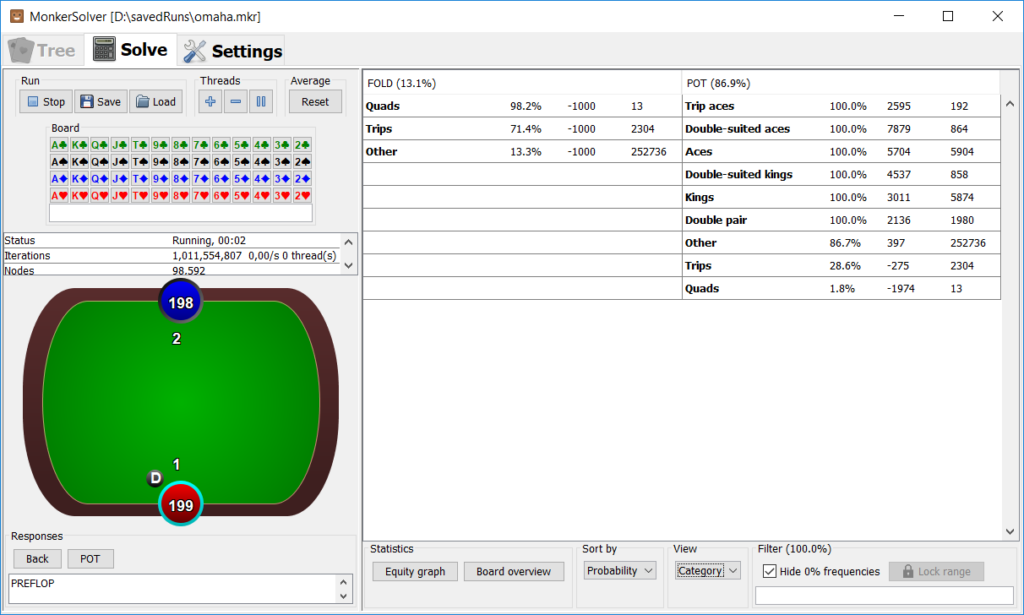
MonkerSolver is a professional instrument, not a consumer app. The workflow is: define the spot (players, stacks, board, ranges, actions, bet sizes), build the tree, run the solve, then view the result. Each step assumes you already understand what you are asking.
The tree-building stage is the hurdle: choosing abstraction levels and bet sizes well is a skill in its own right, and the official site publishes a guide (getting started, tree building, views) specifically because the interface rewards prior theory. If you view solutions (your own, or MonkerGuy’s) in the free MonkerViewer, the navigation side is genuinely approachable.
Practical examples
Scenario A: A five-handed pot. You are in a large tournament with a 9h-8h-7c board and four other players in the hand. A heads-up solver cannot model that. In MonkerSolver you enter all five players’ ranges and stacks, build the street structure, and see how the balanced play differs from the two-player version — typically much tighter and more selective.
Scenario B: An Omaha turn decision. In PLO you hold a strong draw on the turn and want to know how often the balanced strategy raises versus calls given your range and your opponent’s. Build the turn/river tree for that exact structure and read the frequencies off the solution. That is the kind of spot MonkerSolver exists for.
Performance and system requirements
The official requirements are clear: Windows 64-bit or Mac OS X, with at least 8 GB of RAM. The official site also states the scaling rules that matter in practice:
- RAM sets the ceiling on tree size — ‘the size of trees solvable will scale with available RAM’.
- CPU speed sets the time — ‘computation time will scale with CPU speed’.
So 8GB runs the software; serious multiway or Omaha trees want substantially more RAM and a fast multi-core CPU. Buyers planning heavy use generally treat large RAM and a strong CPU as the real cost of entry alongside the licence.
Pricing and value
- Full version: €499, one-time (official; purchase via the monkerware account).
- Free version: turn and river solving only — a genuine working tool for late-street study, and the way to test the interface before committing.
- MonkerViewer: free — view solutions (your own or from MonkerGuy) without the full solver.
- MonkerGuy: paid service — pre-solved game trees and preflop charts, if you want the results without the hardware.
The €499 price is high, but the comparison set is narrow: it is the only multiway + Omaha solver in our reviewed field. If that capability is your job, the value question is less the price than whether your hardware can serve it.
Advantages and disadvantages
Advantages
- Solves any number of players — the multiway capability no other reviewed solver matches.
- Omaha and Hold’em, any street.
- Runs natively on Windows and macOS (rare for solvers).
- Free turn/river edition to start with.
- Free MonkerViewer; MonkerGuy pre-solved content available.
Disadvantages
- €499 for the full version.
- Free edition is turn/river only — no preflop or flop.
- Hardware-hungry: large RAM for large trees.
- Steep learning curve in tree building.
- No trainer, library or analysis tools — it is a pure solver.
Comparison with alternatives
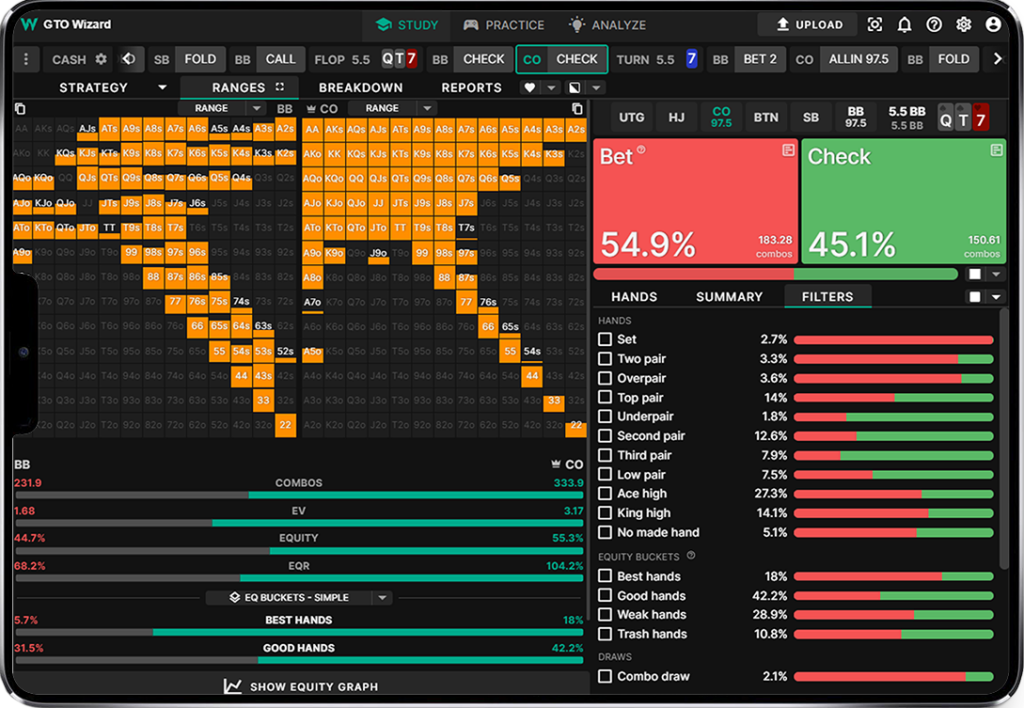
- GTO Wizard is the convenience pole: web-based, any OS, a large pre-solved library, a trainer and hand-history analysis from $39/month (annual). It covers Hold’em depth (its platform mentions PLO study), but it is not a custom multiway/Omaha tree solver.
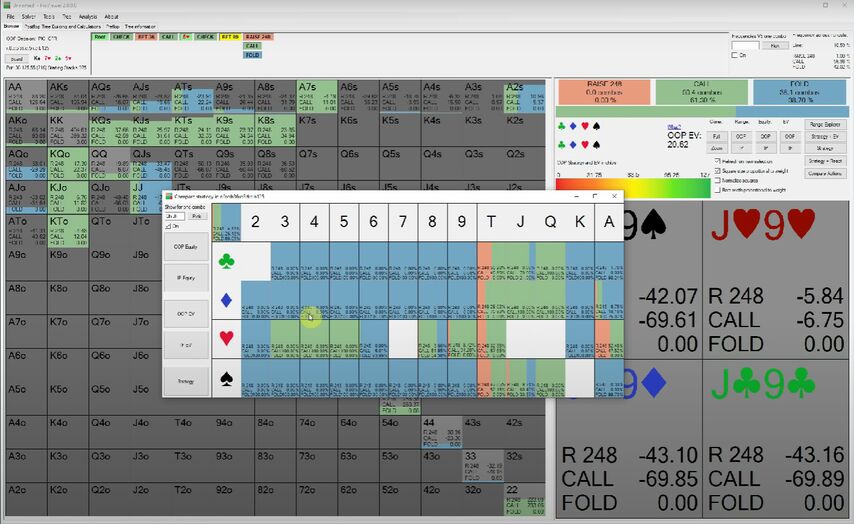
- PioSolver is the heads-up specialist: €450 Pro / €800 Edge, Windows only, up to 64 cores on Edge, with Edge adding HU preflop solving. Different game entirely from MonkerSolver’s multiway focus.
- GTO+ is the budget local solver: $75 one-time, Windows, postflop heads-up Hold’em only.
- Simple Postflop ($299 one-time, Windows) is also heads-up-focused, with its own free turn/river tier — a like-for-like comparison to MonkerSolver’s free edition, minus the multiway and Omaha.
- PokerSnowie is an AI coach, not a solver: $29.90/month or $199.90/year, Windows plus an iPhone preflop app.
The wider field is covered in our Best Poker Solvers guide.
Poker room rules and restrictions
MonkerSolver is an off-table study tool. Running any solver — or consulting any pre-computed solution — while a hand is in progress is Real-Time Assistance (RTA), prohibited at essentially every major room, with bans and fund forfeiture as the standard outcome.
Study at your desk, and check each room’s software policy for its exact position.
Final verdict
MonkerSolver is a specialist instrument for a specialist job: multiway pots and Omaha, solved properly, on Windows or macOS.
Choose MonkerSolver if: Omaha is your game, or your study keeps hitting multiway spots that heads-up solvers cannot model, and your hardware can serve it.
Avoid MonkerSolver if: you play primarily heads-up No-Limit Hold’em (GTO Wizard, GTO+ or PioSolver fit better), you want training rather than raw solutions (GTO Wizard or PokerSnowie), or the €499 plus hardware cost is outside your study budget.
FAQs
Is MonkerSolver free? Partly. The free edition solves turn and river only. The full version (all streets, preflop included, multiway and Omaha) is €499 one-time.
Does it work on a Mac? Yes — the official requirements list Windows 64-bit or Mac OS X with at least 8GB RAM.
Can I use it for Omaha? Yes — Omaha solving (any street, any number of players) is one of its two defining features.
How much hardware do I need? 8GB RAM is the official minimum to run it; the official scaling rules mean bigger trees need more RAM and faster CPUs need less waiting. Serious multiway/Omaha users plan well above the minimum.
What is MonkerViewer? A free companion app for viewing solutions — including trees you have not solved yourself (for example, from the MonkerGuy service).
Can it solve pots with more than two players? Yes — ‘any number of players’ is the official claim, and multiway is the product’s reason to exist.
Is it a trainer? No. It is a pure solver: it computes strategies for the trees you build. For drilling practice, pair it with a trainer such as Simple GTO Trainer or GTO Wizard.