A powerful, uncompromising tool for those who demand total control over their GTO study, provided they have the technical expertise and the right computer hardware to run it.
This review is based on official information from PioSoft and published third-party technical data, verified as of 2 November 2026. No hands-on testing was performed for this report.
Review summary
PioSolver is a dedicated, local desktop software designed to solve for Game Theory Optimal (GTO) strategies in heads-up No-Limit Hold’em postflop scenarios. Developed by PioSoft, it functions as a high-precision tool for players who want to build their own custom strategy trees rather than relying on pre-solved libraries. It is widely regarded as a reference-class solver, meaning it is used to find the mathematical “truth” of a specific hand situation rather than providing a broad overview of many hands.
The software is best suited for advanced players, professional coaches, and serious students of the game who possess the hardware and the technical patience to construct complex scenarios from scratch. Its greatest strength lies in its precision and the level of control it offers over every variable in a hand, including bet sizing and frequency. However, its reliance on local hardware, the steep learning curve, and the lack of a pre-solved database mean it requires a significant investment of both time and money.
Verdict: A powerful, uncompromising tool for those who demand total control over their GTO study, provided they have the technical expertise and the right computer hardware to run it.
Quick facts
| Feature | Details |
|---|---|
| Software name | PioSOLVER |
| Developer | PioSoft |
| Product category | GTO Poker Solver |
| Official website | PioSolver |
| Windows compatibility | Yes |
| macOS compatibility | No |
| Linux compatibility | No |
| Mobile support | No |
| Supported poker variants | Heads-up No-Limit Hold’em (Postflop) |
| Main functions | GTO solving, tree construction, postflop analysis |
| Free version or trial | None advertised |
| Pricing model | One-time purchase |
| Current price (verified 2 Nov 2026) | Pro: €450; Edge: €800 (plus applicable taxes) |
| Latest version | 3.12 |
| Last verified date | 2 November 2026 |
What is PioSolver?
In the world of modern poker, GTO (Game Theory Optimal) refers to a strategy that cannot be exploited by an opponent, even if they know exactly what your strategy is. To find these strategies, players use “solvers”—complex mathematical engines that simulate millions of poker hands to find the perfect balance of checking, betting, and raising.
PioSolver is one of the most respected names in this niche. Unlike cloud-based platforms that offer you a menu of finished solutions, PioSolver is a local engine. This means the “work” happens on your own computer. You define the exact situation: the cards in the hole, the cards on the board, the stack depths, and the exact bet sizes you want to test. Once you hit “solve,” your computer’s processor (CPU) works through the mathematical iterations until it reaches an equilibrium.
It is important to distinguish PioSolver from a “training site.” It does not come with a library of pre-made hands for you to practice. It is the engine used to create those hands. It provides the raw, mathematical answers to the questions you are specifically asking it to solve.
Who should use it?
Because of its technical nature, PioSolver is not a tool for everyone.
Advanced Players and Professionals For those playing high-stakes games where small mathematical edges translate into significant profit, PioSolver is an essential piece of kit. It allows a player to dissect specific, complex board textures that a general training app might overlook.
Coaches Professional poker coaches often use PioSolver to prepare study materials for their students. Because they can build custom “trees” (the branching paths of a poker hand), they can create highly specific scenarios that address the exact mistakes their students are making.
The Technical Student If you enjoy the “why” behind the “what,” you will find PioSolver rewarding. It is for the player who wants to understand the mechanics of range construction and how different bet sizing combinations affect the overall equilibrium.
Who should avoid it? Beginners and intermediate players will likely find PioSolver overwhelming and inefficient. If you are still learning the basic fundamentals of hand strength or position, a solver will only add unnecessary complexity. Furthermore, if you do not have a high-end Windows PC with a strong multi-core processor, the software will be frustratingly slow.
Main features
PioSolver offers two primary tiers: PioSOLVER 3 Pro and PioSOLVER 3 Edge.
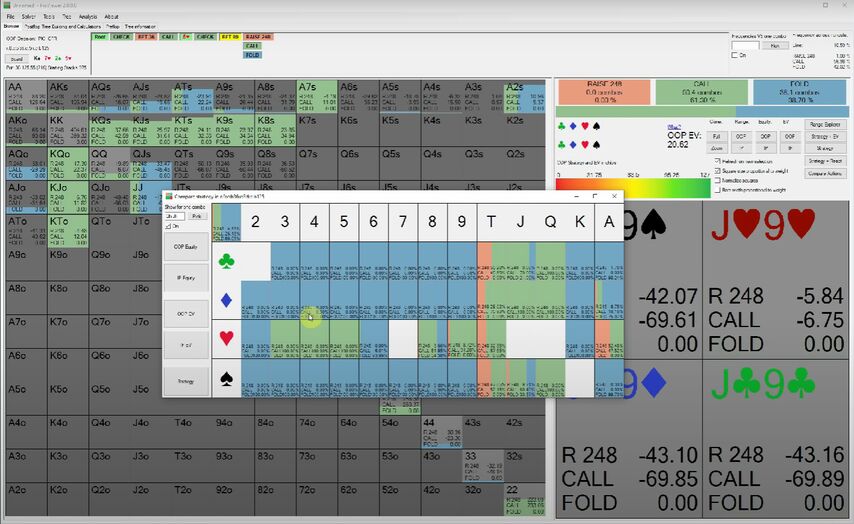
PioSOLVER 3 Pro This version is the core of the product. It allows you to solve flop, turn, and river spots using multiple bet sizes. It includes the full version of PioVIEWER, which is the interface used to visually inspect the results. It also supports scripting, which allows more advanced users to automate certain tasks. The Pro version is limited to 16 CPU cores.
PioSOLVER 3 Edge The Edge version is designed for users who need more power and broader scope. It includes everything in the Pro version, but adds preflop solving for heads-up spots. Crucially, it supports up to 64 CPU cores and allows for “custom compiles,” meaning the software can be optimised specifically for your particular computer hardware. Additionally, while the Pro licence allows use on two computers, the Edge licence allows for unlimited moves between those two computers.
Key Limitations
- Hardware Dependency: The speed of your solution is directly tied to your CPU. If you have a weak computer, a single hand might take hours to solve.
- Complexity: There is no “easy mode.” You must understand how to build a tree, or the solver will simply give you answers to the wrong questions.
- Postflop Focus: While the Edge version adds some preflop capability, the software is fundamentally built for postflop analysis.
Ease of use
PioSolver is commonly described as a specialist’s tool with a steep learning curve. When you first open the software, you are not greeted with a “Play Now” button. Instead, you are presented with a workspace where you must define ranges, board textures, and betting sequences.
The learning curve is driven by the concept of “tree building.” If you make a mistake in your tree—for example, by forgetting to include a certain bet size or a certain action—the solver will provide an equilibrium that is mathematically correct for your mistake, but practically useless for real poker.
To mitigate this, PioSoft provides a documentation area, video tutorials, and an active Discord community. For most users, these resources are not optional; they are a requirement for getting the software to function effectively.
Practical examples
To understand how a professional might use PioSolver, consider these two scenarios:
Scenario 1: Testing Bet Sizing Imagine you are playing a high-stakes heads-up game and you notice that on certain “dry” boards (boards with no straight or flush draws), your opponents are over-folding to large bets. You can use PioSolver to build a tree where you test a 33% pot bet against a 75% pot bet. The solver will show you exactly how your optimal frequency changes based on those two different sizes, helping you decide which size yields a higher expected value (EV).
Scenario 2: Range Construction You might wonder, “If I raise from the button, how much should I be continuing with my range on an Ace-high flop?” In PioSolver, you can input your exact opening range and the opponent’s defending range. The software will then calculate the optimal way to play every possible hand in your range, showing you which hands should be played as checks and which should be played as bets.
Performance and system requirements
PioSolver is a resource-intensive application. Because it performs massive amounts of calculations, it requires a high-performance Windows environment.
- Operating System: Windows is the only supported platform. There is no native support for macOS or Linux.
- Processor (CPU): This is the most critical component. Since the software is CPU-bound, the more cores you have, the faster your solutions will be. The Pro version is capped at 16 cores, while the Edge version can utilise up to 64.
- Storage: Version 3.12 halves the size of saves without rivers or turns, and earlier releases already made saves much faster to load and smaller, which helps with storage management and speed.
- RAM: High-capacity RAM helps when solving complex trees with many nodes, since the working tree and its solutions are held in memory during calculation.
Pricing and value
PioSolver follows a one-time purchase model, which distinguishes it from the subscription-based models common in other poker software.
- PioSOLVER 3 Pro: €450 (plus applicable taxes). This includes one year of software updates and the ability to use the licence on two computers.
- PioSOLVER 3 Edge: €800 (plus taxes). This offers the advanced preflop solving, 64-core support, and more flexible licence movement.
Upgrades between versions cost the price difference, so moving from Pro to Edge later is cheaper than buying Edge outright. The value proposition depends on your level of play. For a professional, the one-time cost is a relatively small investment compared to the accuracy of the data provided. For a recreational player, the combination of the high entry price and the requirement for expensive hardware may make it difficult to justify.
Advantages and disadvantages
Advantages
- Extreme Precision: Provides mathematically optimal answers for custom-built scenarios.
- High Control: Total authority over bet sizes, frequencies, and range construction.
- One-time Cost: No monthly subscription fees once purchased.
- Optimised Files: The latest version (3.12) brings smaller save files and a reorganised PioViewer menu.
- Support resources: Official documentation, video tutorials, FAQ and an active Discord community.
Disadvantages
- Steep Learning Curve: Requires significant study to use effectively.
- Hardware Intensive: Requires a powerful Windows PC; not suitable for laptops or mobile.
- No Pre-solved Library: You must do the work to build your own solutions.
- High Entry Barrier: High cost for the software and the necessary hardware.
Comparison with alternatives
When looking for a GTO tool, players generally choose between “solvers” (which you build) and “platforms” (which are pre-built).
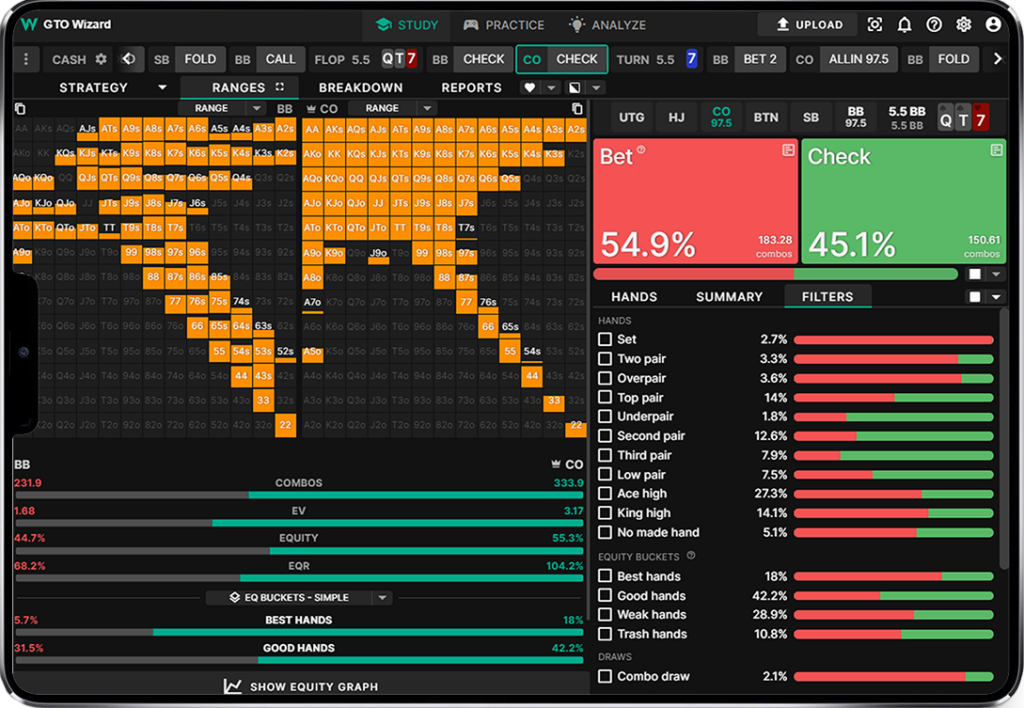
- GTO Wizard: This is a cloud-based, subscription-driven platform. It is much easier to use because it provides a massive library of pre-solved hands and includes a trainer. However, it lacks the granular, custom-tree control that PioSolver offers. Read our GTO Wizard review.
- GTO+: A much more affordable Windows-based postflop solver. While it is excellent for the price, it does not have the same depth of features found in the PioSoft products. Compare it with our GTO+ review.
- MonkerSolver: A heavy-duty solver that excels at multiway pots and Omaha. It is a different beast entirely from the heads-up focus of PioSolver. Check out our MonkerSolver review.
- Simple Postflop: A standalone local Windows solver that offers a simpler entry point into postflop GTO study. Learn more in our Simple Postflop review.
- PokerSnowie: Unlike PioSolver, this is an AI-based coach rather than a raw solver. It is designed for easier, more intuitive learning. Find out more in our PokerSnowie review.
For a broader look at the market, visit our poker solvers category.
Poker room rules and restrictions
It is vital to distinguish between off-table study and Real-Time Assistance (RTA).
Using PioSolver to study hands, build trees, and understand equilibrium after your session is perfectly legal and is considered a standard part of professional preparation. However, using a solver to find answers while you are playing against live opponents is strictly forbidden by every major online poker room. This is classified as RTA and will result in the permanent closure of your accounts and the confiscation of your funds.
Always check the specific Terms of Service (ToS) of your poker room, but the distinction is universal: study with the solver on your own time; never run it while the client is active.
Final verdict
PioSolver remains the industry standard for players who want to build their own mathematical models. It is not a “plug-and-play” solution, and it will not teach you how to play poker if you do not already understand the fundamentals.
You should choose PioSolver if:
- You are an advanced or professional player.
- You want to solve highly specific, custom scenarios.
- You prefer a one-time purchase over a subscription.
- You have a high-end Windows PC.
You should avoid PioSolver if:
- You are a beginner or intermediate player.
- You want a ready-to-use library of hands to practice against.
- You use a Mac or Linux machine.
- You want a simple, low-cost entry into GTO study.
FAQs
Is PioSolver free? No. The official site does not advertise a free version. You buy Pro (€450) or Edge (€800) as a one-time purchase, with one year of updates included.
Can I use PioSolver on a Mac? No. PioSolver runs on Windows only; there is no macOS, Linux or mobile version.
How fast will it solve a hand? Solving speed depends almost entirely on your CPU. Pro uses up to 16 cores and Edge up to 64; on slower machines, complex trees can take hours. No official benchmark figures are published.
Does it include a training mode? No. PioSolver is a solver, not a trainer. It answers the specific trees you build; it does not include practice hands, a pre-solved library or live feedback.
What is the difference between Pro and Edge? Edge adds heads-up preflop solving, support for up to 64 cores, custom hardware compiles, and a licence that allows unlimited moves between two computers. Pro covers postflop solving with up to 16 cores.
Is it still being updated? Yes. The current release is version 3.12, which adds 6-Plus Hold’em support, halves the size of saves without rivers or turns and reorganises the PioViewer menu; the copyright on the official site is current for 2026.
Relevant alternatives
If PioSolver is not the right fit, these reviews will help you decide:
- GTO Wizard review — cloud platform with pre-solved library and trainer
- GTO+ review — $75 one-time postflop solver
- MonkerSolver review — multiway and Omaha strength
- Simple Postflop review — $299 local solver
- PokerSnowie review — AI coach on a subscription
- Poker solvers category — every solver we cover