A strong study tool for range work on Windows, at a $25 lifetime price that is hard to argue with.
This review is based on official product information and published third-party sources, verified as of 18 October 2026. No hands-on testing was performed for this report.
Review summary
Flopzilla is a specialised tool for range and equity analysis in Texas Hold’em. Rather than telling you what to do, it shows you how specific ranges of hands interact with various boards. It is the kind of utility players use to understand the mathematical distribution of hand strengths after the flop.
It suits intermediate to advanced players and coaches who need to see how different ranges are composed on specific boards. It is fast, visual and unusually cheap: a free version to download, and a $25 lifetime licence for the full product. Its limits are equally clear — it is a Windows-only program and it is not a GTO (Game Theory Optimal) solver.
Verdict: a strong study tool for range work on Windows, at a price that is hard to argue with.
Quick facts
| Feature | Details |
|---|---|
| Software name | Flopzilla |
| Developer | Eighty 3 (the team also behind GTO+) |
| Product category | Range and equity analysis software |
| Official website | flopzilla.com |
| Windows compatibility | Yes |
| macOS compatibility | No |
| Linux compatibility | No |
| Mobile support | No |
| Supported poker variants | Texas Hold’em |
| Main functions | Range distribution, equity calculation (HU and multiway up to 14 players), visual output modes |
| Free version or trial | Yes — free download |
| Pricing model | One-time purchase, lifetime licence |
| Current price (verified 18 Oct 2026) | $25 (taxes may apply by location); licence covers two computers |
| Latest version | Not published on the official site |
| Last verified date | 18 October 2026 |
What is Flopzilla?
To use Flopzilla well, you need one concept: range interaction. A “range” is the full set of hands a player could hold in a given situation. When the flop arrives, that range stops being theoretical — some hands hit the board, some miss. Flopzilla shows you exactly how.
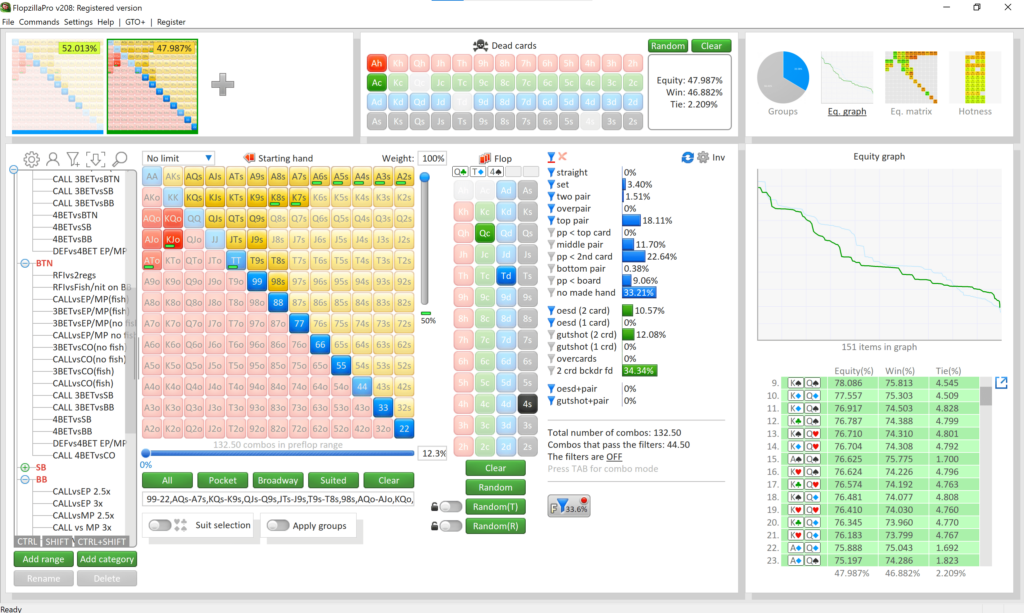
You enter a preflop range — say, what a player typically raises with from early position — and pick a flop. The software then calculates how that entire range connects with the board. It does not just give you a total equity figure: it breaks the range into categories, showing how many combinations (combos) of top pair, middle pair, sets, overpairs, flush draws and gutshots exist on that board.
It is worth drawing the line to a solver, because players often confuse the two. A solver such as GTO Wizard works out the optimal strategy for a spot. Flopzilla is an analysis tool: it tells you what the hands are, not whether you should bet, check or fold. It supplies the raw material that strategic thinking works on.
Who should use it?
Beginners Flopzilla can feel like a lot at first, but it is one of the fastest ways to stop thinking in single hands and start thinking in ranges. Seeing that a board “hits” one position’s range far more than another’s is a core concept in moving from novice to competent.
Intermediate and Advanced Players The core audience. Intermediate players use it to internalise board texture — how a “wet” board (full of draws) reshapes a range compared with a “dry” one. Advanced players use it to check their own range construction, for example whether their opening range has enough “board coverage” (strong holdings across many different flop types).
Coaches and Educators The visual breakdown is a teaching aid: showing a student how their range distributes on a given board is far more effective than describing it.
Cash and tournament players The maths is Hold’em and applies across formats; cash players use it for deep-stacked range study, tournament players for the same work in tournament stack contexts.
Main features
Range distribution output The primary function: a range broken down into combos and percentages of hand categories. For example, enter a wide range and the output might show roughly a tenth of it as top pair, a few percent as flush draws, and less than two percent as sets — the exact figures depend on the board and range you choose. That quantification of range strength on any board is the whole point.
Visual output modes Several ways to look at the same data:
- Equity graph — the distribution of hand strength across the range, so you can see whether a range is polarised (lots of very strong and very weak holdings) or condensed (many medium-strength hands).
- Tables — exact combo counts per hand type, for those who prefer raw numbers.
- “Hotness” — which parts of the range are strongest or most vulnerable on the board.
- Pie charts — a quick high-level composition view.
Instant recalculation Flopzilla’s defining behaviour is speed: there is no “compute” button. Change a card or a range component and the results update immediately. Heads-up and multiway equity runs up to 14 players, and the calculations are fast enough that the tool encourages rapid what-if experimentation.
Limitations It is not a solver — no optimal frequencies, no bet-sizing advice. It is Hold’em only, Windows only, with no mobile version.
Ease of use
The interface is built around rapid experimentation. In a typical study session you might test dozens of boards in an hour, and Flopzilla is designed for exactly that: define a range (from presets or a custom selection), pick the board, read the output, change something, read it again.
There is very little to learn. The moment an input changes, the answer changes — a “what if” style of study that suits how the mind actually works through a range. Compared with solver interfaces, which reward a methodical, setup-heavy approach, Flopzilla feels like a laboratory bench: quick, direct, and built for observation.
Practical examples
Scenario 1: A tight UTG range on a dry board You are studying a player who opens only about 10% from Under the Gun (the earliest seating position). The flop is A-7-2 with mixed suits. Enter the 10% UTG range and that board: the output is heavily weighted to top pair (Aces) and overpairs, with very few draws, because the board is dry. The conclusion you can now see rather than feel: that player has a large range advantage on this board, and challenging them is expensive.
Scenario 2: A wide Big Blind defence on a wet board Now the Big Blind defends the button with a wide range — roughly 40% — and the flop is 9-8-7 with two hearts. The same tool, the same range concept, a completely different picture: a high share of straight draws, flush draws and middle pairs, plus a lot of equity that can be pushed off the pot. That is the texture difference between the two boards, quantified.
These two examples are the typical Flopzilla session: same ranges, different boards, immediate visual answers.
Performance and system requirements
Flopzilla is a lightweight Windows desktop program. The official site does not publish a formal specification, but it is not a solver: it performs combinatorics and equity counting rather than iterative game solving, and it runs comfortably on ordinary consumer hardware.
It works offline once installed — no browser session or cloud account is involved, which suits long study blocks away from other tools.
Pricing and value
The model is unusually simple for this market:
- Free version — available to download, for exploring the interface and basic functionality.
- Paid licence — $25 (taxes may be added depending on your location). A lifetime licence with all upgrades included. One licence covers two computers, both of which you must own; sharing or gifting the licence is not permitted.
After paying, you request a key, which is emailed within minutes; you enter it via the register menu in the app. The purchase includes both FlopzillaPro and the original Flopzilla v1, and both can be registered on each licensed computer.
Against a subscription market where similar study tools charge $25–$100 per month, a one-off $25 for the full product is the kind of pricing that makes Flopzilla a default recommendation in equity work.
Advantages and disadvantages
Advantages
- Instant updates — no compute step, results change as you do.
- Fast heads-up and multiway equity (up to 14 players).
- Multiple visual output modes (graphs, tables, hotness, pie charts).
- $25 lifetime licence, two computers, all upgrades included.
- Free version to start with.
Disadvantages
- Windows only — no macOS, Linux or mobile.
- Not a solver: no GTO strategies or sizing advice.
- Hold’em only.
- A dated-feeling utility compared with modern polished apps (the interface is functional rather than flashy).
Comparison with alternatives
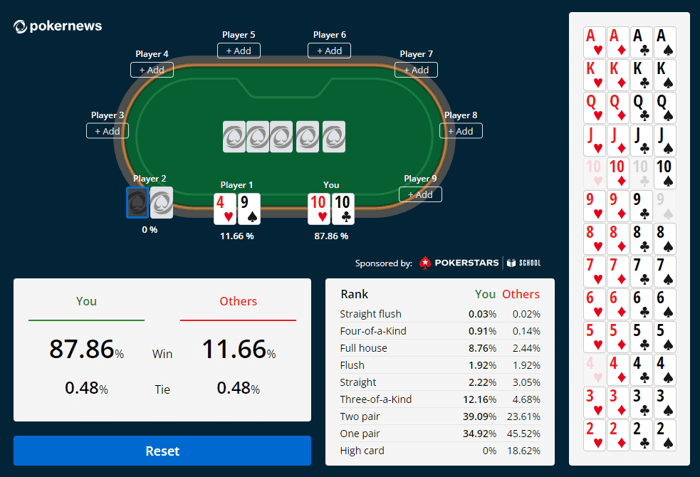
Free and classic options Equilab is the other free classic: highly effective, more focused on heads-up equity situations. PokerStove is the other veteran Windows calculator — pure, fast and minimal. If you would rather not install anything, the PokerNews Odds Calculator is free in the browser.
Equity tools versus solvers Flopzilla belongs to the equity calculators category: it shows the state of the game — what the hands are. Solvers such as GTO Wizard or GTO+ answer the next question — how you should play it — at a very different price point. For the foundational work of understanding ranges and boards, Flopzilla is often the more useful of the two.
One footnote: Flopzilla and GTO+ share a developer (Eighty 3), so the two tools pair naturally for a budget study setup.
Poker room rules and restrictions
Flopzilla is a study tool. Running or consulting any software for your decisions while a hand is in progress is Real-Time Assistance (RTA), and it is prohibited at essentially every major online room — the consequence is typically a ban and forfeiture of funds.
Use it for pre-session preparation and post-session review. Because it is a desktop program, there is no casual “phone at the table” risk, but the rule is the rule: off-table only, and check your room’s current software policy.
Final verdict
Flopzilla is a focused tool that does one job — explaining how ranges meet boards — extremely well, and does it instantly and cheaply.
Choose Flopzilla if: you are on Windows and want the fastest, most visual way to study range/-board interaction; the $25 lifetime licence makes the decision easy.
Avoid Flopzilla if: you need strategy answers rather than range data (that is solver territory), or you work on macOS, Linux or mobile.
FAQs
Is Flopzilla a GTO solver? No. It is a range and equity analysis tool: it shows what is in a range on a board, not how to play it.
Does it work on Mac? No. Flopzilla is a Windows desktop program; there is no native macOS or Linux version.
Can I use one licence on two computers? Yes — the licence covers two computers, both of which must be yours.
Is there a free version? Yes — a free version is available to download from the official site.
How do I get the licence key? After payment, you request a key and it is emailed within minutes; you enter it in the register menu.
Are future upgrades included? Yes — the $25 licence is lifetime and includes all upgrades, and the purchase covers both FlopzillaPro and Flopzilla v1.
What about multiway pots? Flopzilla performs multiway equity calculations for up to 14 players.
Relevant alternatives
- Equilab review — free classic equity calculator
- PokerStove review — free, minimal, fast
- PokerNews Odds Calculator review — free, in the browser
- GTO Wizard review — solver + training platform
- GTO+ review — $75 postflop solver, same developer
- Equity Calculators category